
Quarantine and review requests
Quarantine
Quarantine lists files Kestrel moved into the encrypted vault on each device, by a Protect rule or by an analyst. Each item shows the device, original path, hash, when and why it was quarantined, and its state: In quarantine, Restored or Deleted.
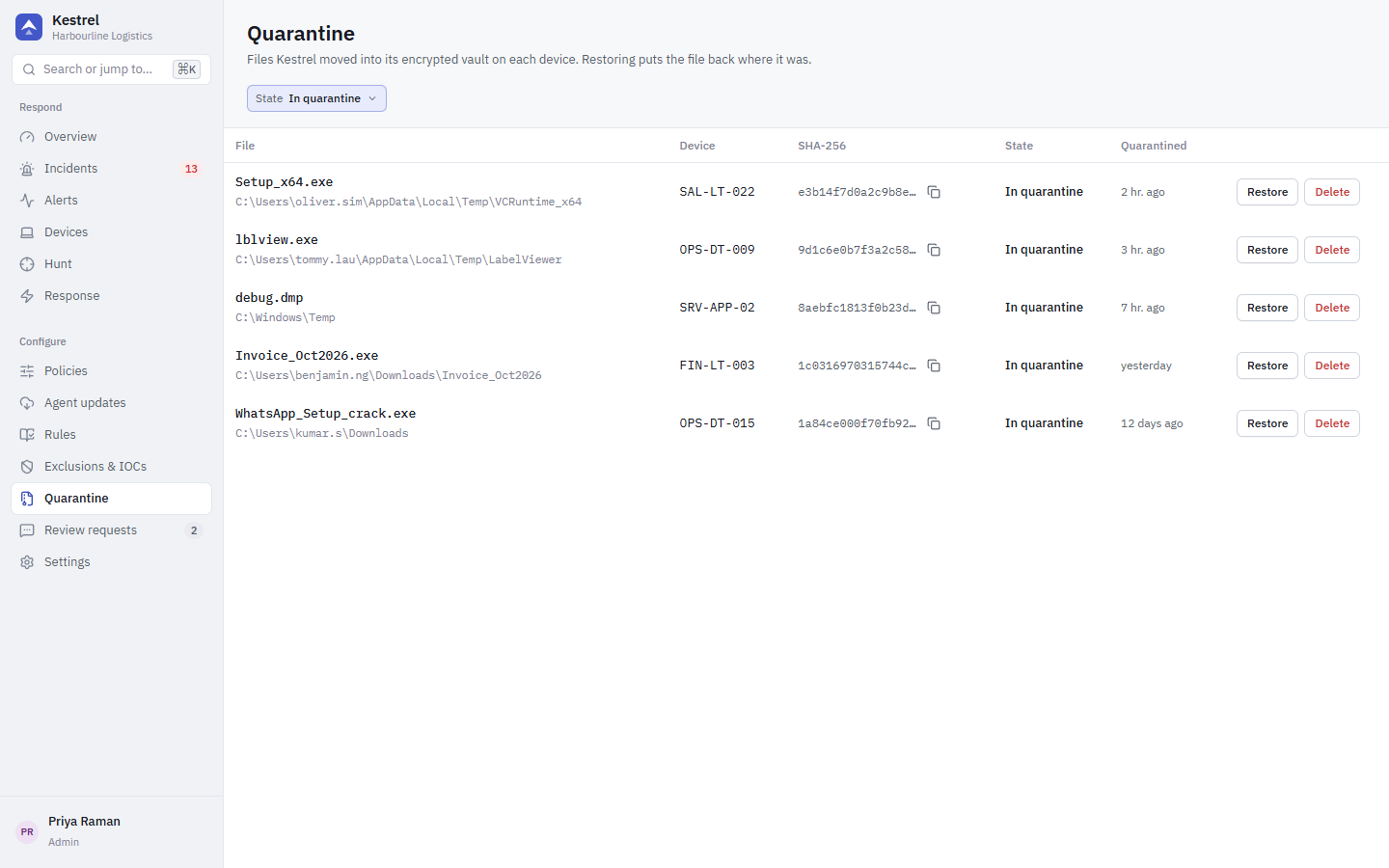
- Restore puts the file back at its original path. Restore is refused if the path now goes through a junction or symbolic link, if the parent folder's owner changed, or if the target is under
%SystemRoot%or Program Files. Restoring a file also lifts the network blocks placed on it. - Delete removes the file from the vault on the device.
Both need the response.file privilege and are sent as response actions, so they wait for offline devices (up to 7 days). Backups of removed persistence entries are also stored in the vault but are not listed here.
Review requests
Employees can ask IT to look at something Kestrel blocked, from the tray app's Activity tab (Ask IT to review this block, with a reason). Requests appear under Review requests, filtered by Waiting, Approved, Denied or All.
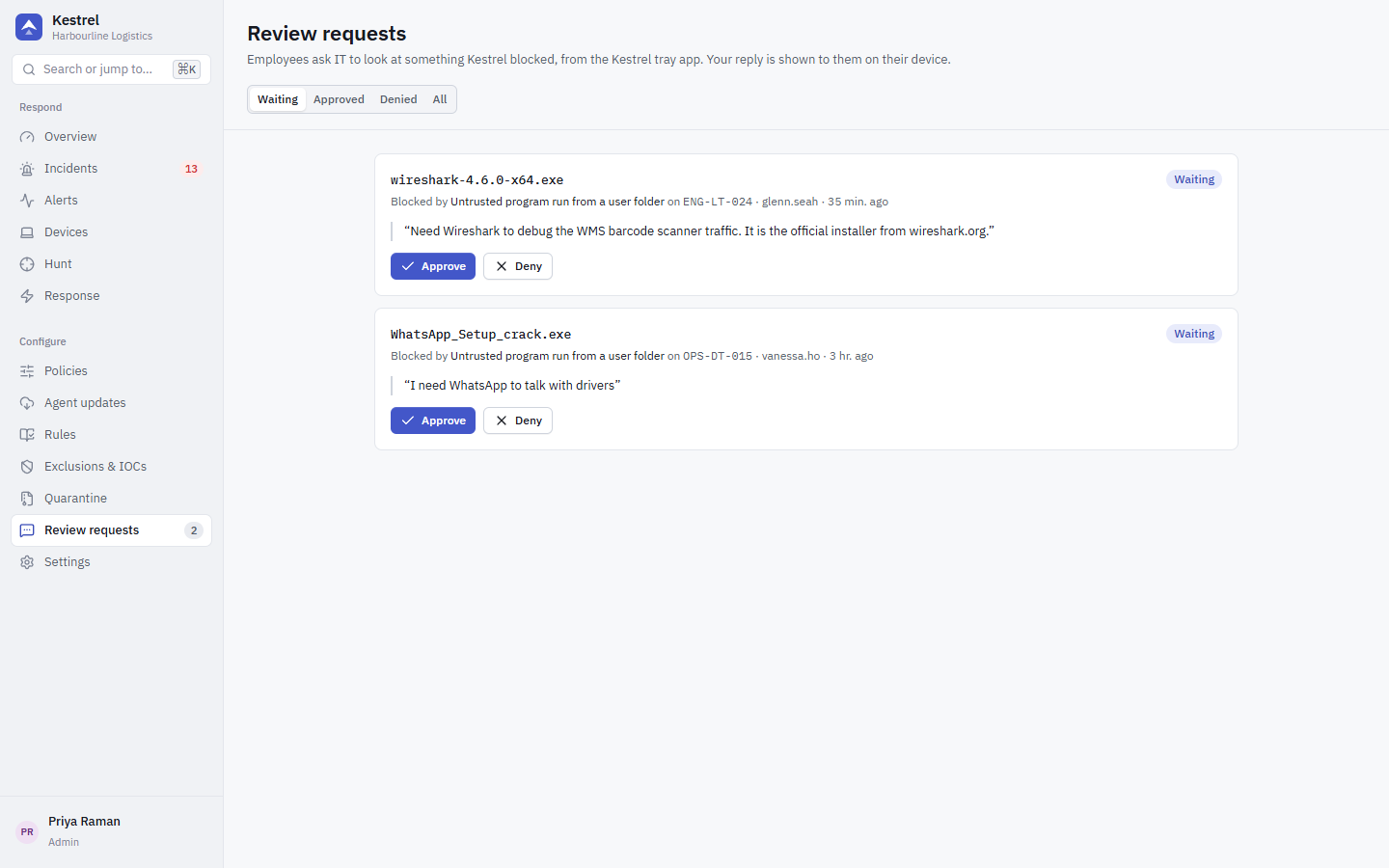
- Approve creates a narrow exclusion: by SHA-256 (or valid signer) only, for the rule that raised the alert only, in the device group's policy, expiring after 90 days. It never creates a path exclusion.
- Deny keeps the block.
Your reply is shown to the employee on their device. Limits on the device side: one request per alert until IT decides, at most 5 requests per user per hour, and only for alerts that user can see.