
Hunting
Hunt searches the telemetry that devices upload. Telemetry is stored in ClickHouse, or in PostgreSQL for small sites (7 days at most). What is available depends on the policy's telemetry and privacy settings: alerts and their evidence are always uploaded, raw events only when Upload raw events for hunting is on.
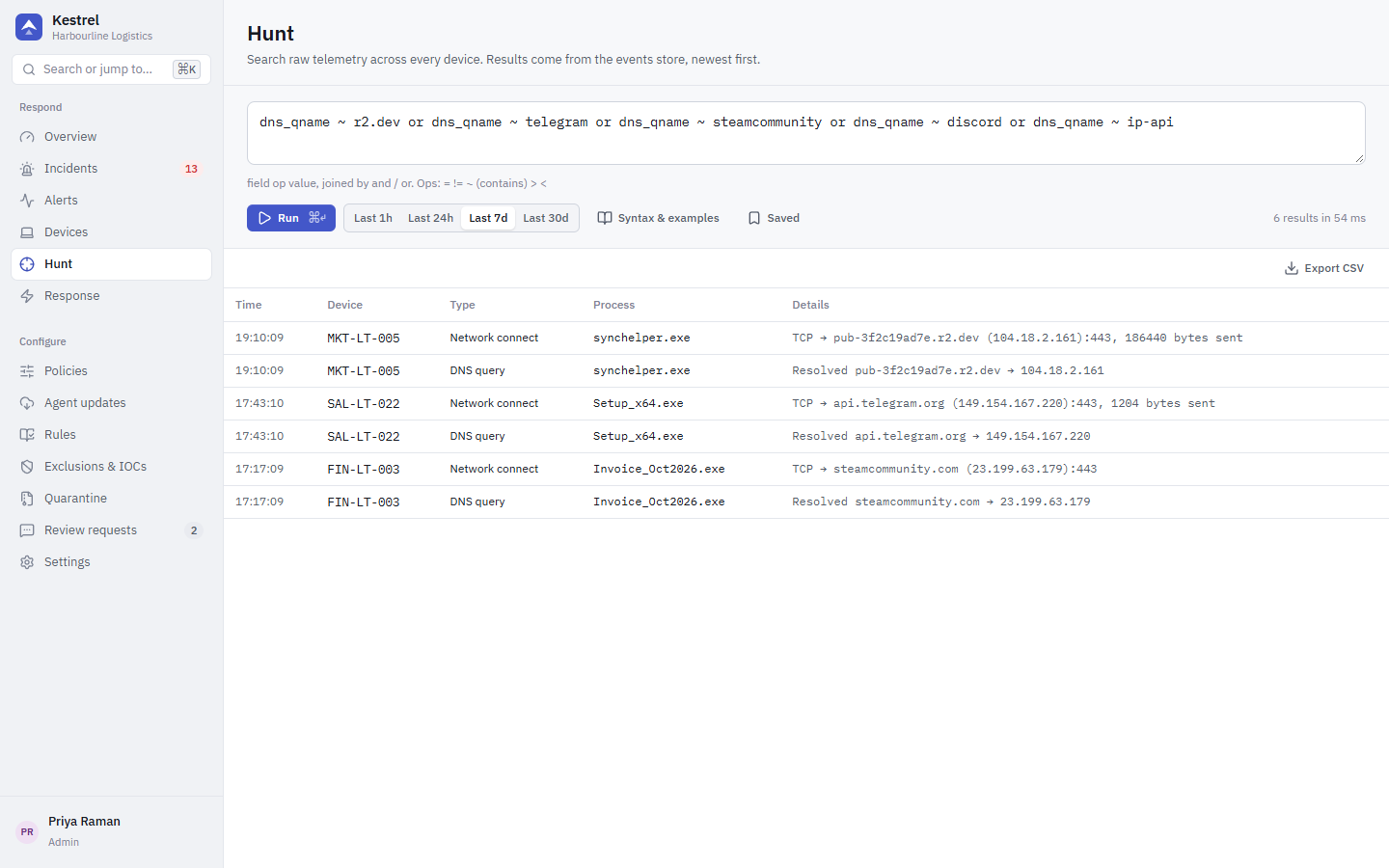
Query syntax
A query is a list of conditions field op value joined with and or or:
event_type = dns_query and dns_qname ~ telegram| Operator | Meaning |
|---|---|
= | equals |
!= | does not equal |
~ | contains (case-insensitive); text fields only |
> < | greater or less than; numeric fields only |
Put values with spaces in quotes: file_path ~ "Login Data". Numeric fields (dst_port, granted_access, return_code) accept decimal or 0x hex.
The console checks the query as you type and suggests field names. The server turns it into parameterised SQL; values are never pasted into SQL text.
Fields
| Field | Contents |
|---|---|
event_type | Event kind (see below) |
image | Full path of the acting program |
cmdline | Command line; for registry events the value data, for tasks the actions, for services the ImagePath |
file_path | File path; for tasks the task path, for services the ImagePath |
dst_ip, dst_port | Network destination |
dns_qname | DNS name queried |
signer | Authenticode signer of the image |
sha256 | Image hash |
user | User name (a pseudonym if user names are hashed) |
hostname, device_id | Device |
reg_key, reg_value | Registry key and value name |
target_image | Target of a process access (for example lsass.exe) |
granted_access | Access mask requested on the target |
return_code | Result of a process access (non-zero = blocked) |
op | Operation: file op; registry set, delete_value, delete_key; task created, updated, deleted; activity, install, bind |
new_ext | Most common new file extension in a file-activity burst |
Event kinds: process_start, process_stop, image_load, file_access, registry_set, net_connect, dns_query, dpapi_unprotect, process_access, remote_thread, thread_context, debug_attach, script_block, tamper, file_activity, task_registered, service_installed, wmi_subscription.
Examples
The Syntax & examples panel in the console has these ready to use:
dns_qname = api.telegram.org
event_type = process_start and image ~ \Downloads\
event_type = file_access and file_path ~ "Login Data"
cmdline ~ --remote-debugging and cmdline ~ --headless
dst_port = 8545
image ~ powershell and cmdline ~ downloadstring or cmdline ~ frombase64string
More for the v1.1 rule families:
target_image ~ lsass.exe and return_code != 0
event_type = file_activity and new_ext = k3str
event_type = task_registered and cmdline ~ appdata
reg_key ~ \CurrentVersion\Run and op = set
Saved queries are kept in your browser.
Click a result row to expand it into a plain-language explanation, its key fields and the raw event, the same view as incident evidence (see Reading evidence). Explanations only see the events in the result, so add or event_type = file_access to a DPAPI query to show which key file was opened.
Privacy
Every hunt query is recorded in the audit log, because hunting reads employee activity. Policies can stop command lines, DNS queries, script content or all raw telemetry from leaving devices, and can redact path prefixes or hash user names. See Privacy.