
Agent updates
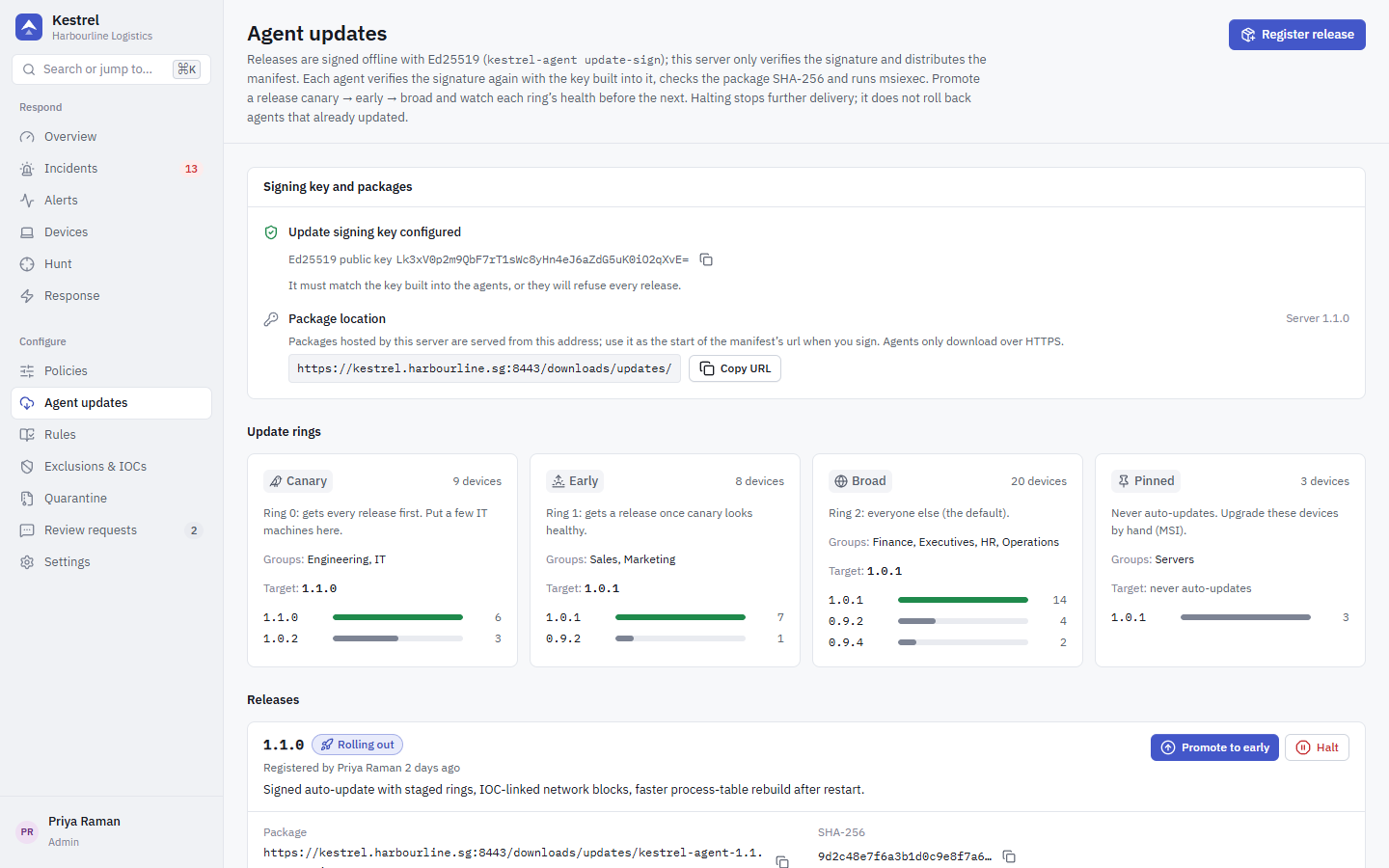
Kestrel can push new agent versions to devices in stages. Agents install only releases signed with your Ed25519 update key. The server distributes releases but never holds the private key, so a compromised server can delay updates but cannot make agents install anything unsigned.
One-time setup (owner, offline)
Do this once, on a trusted machine that is not the Kestrel server, ideally offline. Back the key up somewhere safe: anyone holding it can push code to every agent, and losing it means re-deploying agents with a new key by hand.
Create the key pair. The command refuses to overwrite existing files; the private key gets an owner-and-SYSTEM-only ACL.
powershellkestrel-agent update-keygen --out D:\kestrel-signing # D:\kestrel-signing\kestrel-update-signing.key (secret) # D:\kestrel-signing\kestrel-update-signing.pub (base64 public key)Build every agent with the public key embedded. Agents built without it refuse all remote updates.
powershell$env:KESTREL_UPDATE_PUBKEY = Get-Content D:\kestrel-signing\kestrel-update-signing.pub cargo build -p kestrel-agent -p kestrel-scan -p kestrel-msica --releaseGive the server the same public key in
deploy/.envand restart it:textKESTREL_UPDATE_PUBKEY=<base64 public key>Without it, registering a release in the console is refused. The Agent updates page shows whether the key is configured.
Optionally, build agents with KESTREL_UPDATE_REQUIRE_SIGNED=<part of your signer's subject> so they also require a valid Authenticode signature from that signer on every update MSI.
Publish a release
Build and sign the new MSI (see Build from source).
Put it where agents can download it. Server-hosted packages go into
deploy/installers/updates/and are served on the agent port (8443), where agents trust only the pinned agent CA:powershellcopy installer\KestrelAgent.msi deploy\installers\updates\KestrelAgent-1.4.0.msiAny other HTTPS URL with a publicly trusted certificate also works.
Sign a manifest, offline:
powershellkestrel-agent update-sign --key D:\kestrel-signing\kestrel-update-signing.key ` --version 1.4.0 ` --url https://kestrel.example.sg:8443/downloads/updates/KestrelAgent-1.4.0.msi ` --file deploy\installers\updates\KestrelAgent-1.4.0.msiIt prints the manifest JSON (
version,url,sha256,signature). The signature covers the version, URL and SHA-256 together, so a signed package cannot be replayed under another version or URL.--versionmust be the version the agent inside the MSI reports (the workspaceversioninCargo.toml); otherwise agents keep being offered the release.In the console, open Agent updates > Register release and paste the manifest. The server checks the signature against its own
KESTREL_UPDATE_PUBKEYand, for a server-hosted package, that the file has the signed SHA-256.
Rings
Each device group has an update ring, set under Settings > Enrollment > Device groups:
| Ring | Order |
|---|---|
canary | ring 0, first |
early | ring 1 |
broad | ring 2 (default) |
pinned | never updated automatically |
A new release starts with no ring enabled. Promote it ring by ring, in order, after checking each ring's health on the page: devices on the target version, failures the agents reported, and devices offline for more than 24 hours after delivery. There is no automatic promotion.
Halt stops further delivery and cannot be undone. Devices that already updated stay updated; fix forward with a newer release.
What the agent does
On promotion, connected agents in the ring get the update at once; others get it at their next connection, until they report the new version. Only the newest non-halted release for the device's ring is offered, and only if it is newer than the running version (no downgrades).
The agent downloads the package over HTTPS, checks the Ed25519 signature and the SHA-256 from disk through a handle nobody else can write to, and runs msiexec /i <file> /qn /norestart. The MSI upgrade keeps the enrolled identity. The result is reported back and shown per ring.
Required privilege: updates.write (administrators). Moving a group to a ring other than broad also needs it.