Rules, exclusions and IOCs
Rules
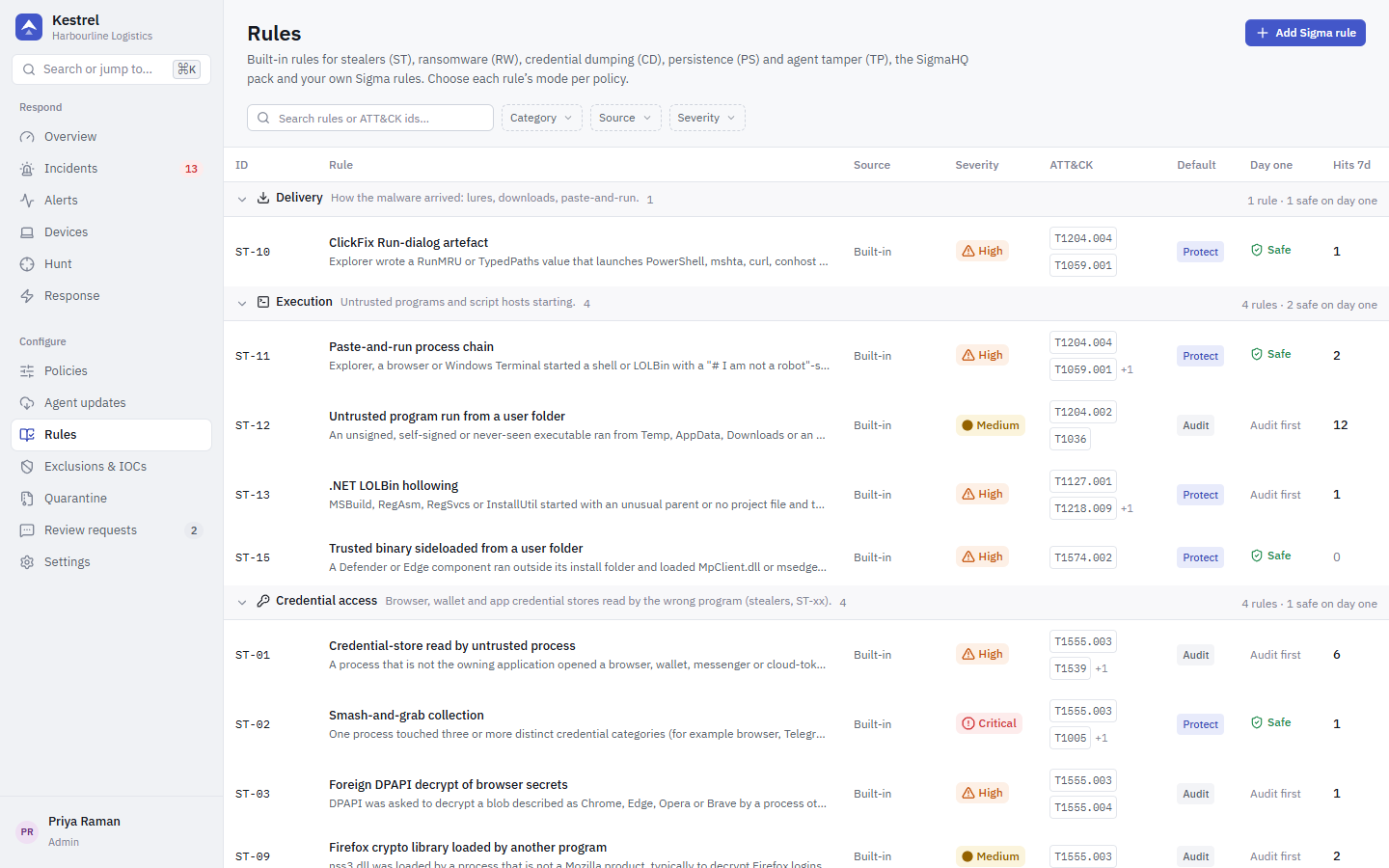
The Rules page lists every rule, grouped by family:
| Family | Ids | Count |
|---|---|---|
| Stealer | ST-01 to ST-16 | 16 |
| Ransomware | RW-01 to RW-08, RW-12 | 9 |
| Credential dumping | CD-01 to CD-13 | 13 |
| Persistence | PS-01 to PS-05, PS-07 to PS-11, PS-15 | 11 |
| Tamper | TP-01 to TP-06 | 6 |
| SigmaHQ pack | SIG-<uuid8> | 70 |
| Custom Sigma | SIG-<uuid8> | yours |
Indicator hits raise alerts with IOC-* ids, and the server adds its own health checks as TP-SRV-* (see Detection rules).
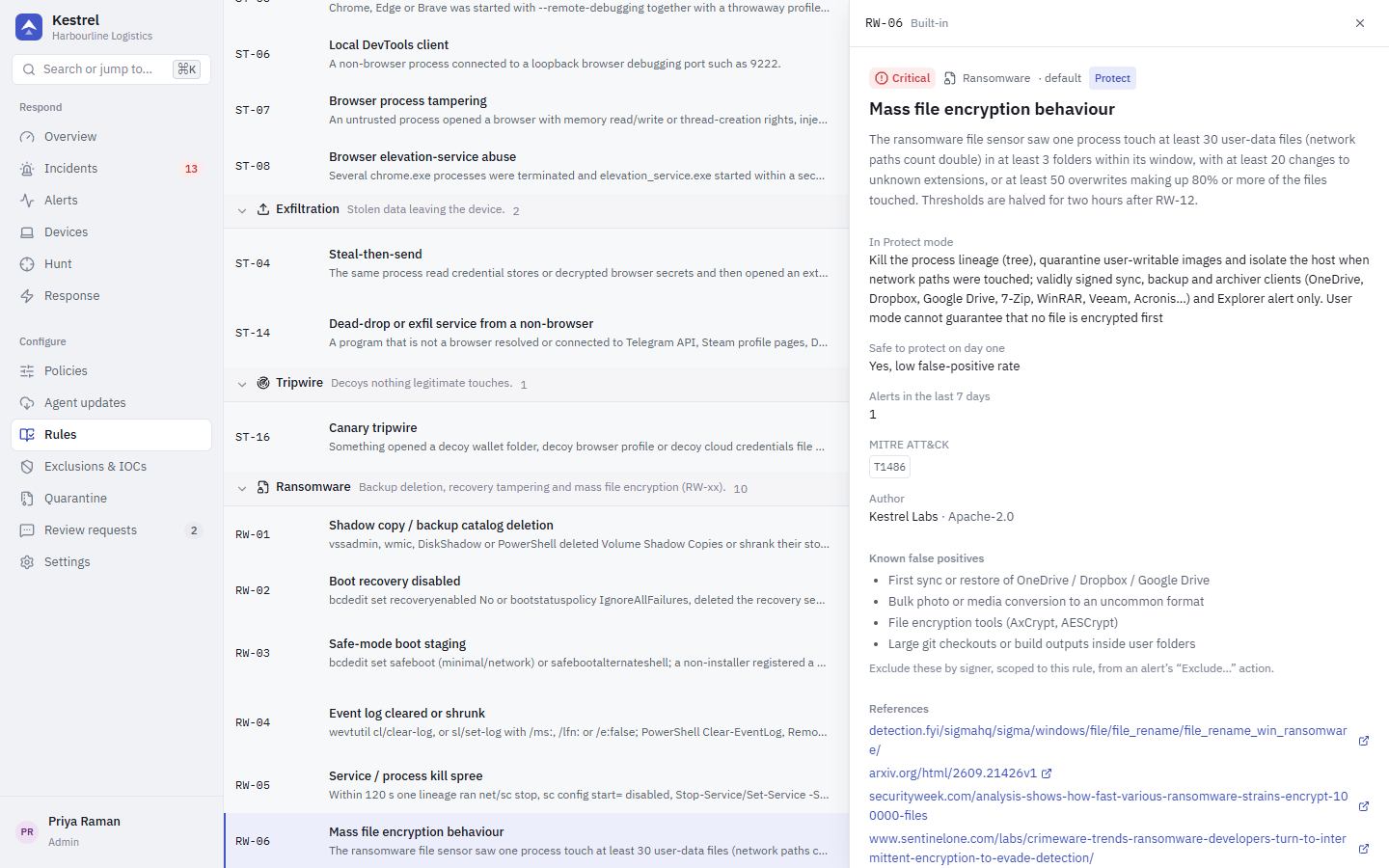
Click a rule to see what it detects, its severity and ATT&CK techniques, its default mode, what Protect mode does, references and known false positives.
Modes
Modes are set per policy (see Policies), not globally:
- Off: not evaluated.
- Audit: alert only.
- Protect: alert and act.
Rules marked safe on day one have a low false-positive rate and are in Protect by default. All other rules start in Audit; run them in Audit for about two weeks before switching to Protect. Apply recommended in the policy editor sets exactly that.
SigmaHQ pack
Kestrel ships 70 rules from SigmaHQ, pinned to one upstream commit, all in Audit by default. They are licensed under the Detection Rule License (DRL) 1.1: the console shows each rule's authors, the licence and the upstream link, and every alert keeps the rule's author. Editing or deleting a pack rule stops pack updates for it.
Custom Sigma rules
Add Sigma rule opens an editor. Paste a SigmaHQ rule or write your own YAML. The server compiles it against Kestrel's field mapping and refuses it if it does not compile. Saved rules are pushed to agents as a versioned rule bundle and evaluated on the device with rsigma, in the mode the policy sets.
If you import SigmaHQ rules yourself, keep the author field. The DRL requires the attribution, and Kestrel shows it on every alert the rule raises.
Exclusions
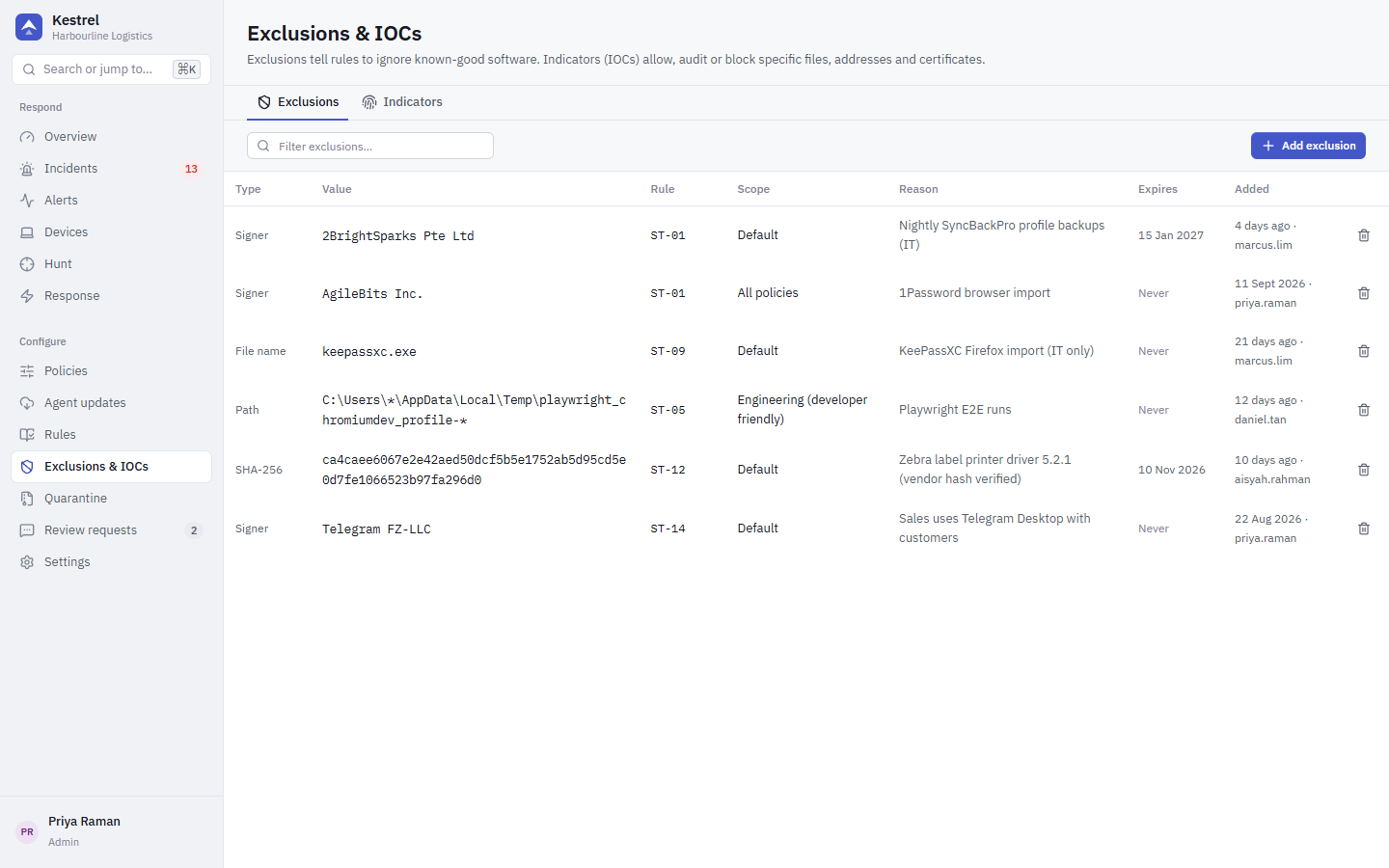
An exclusion tells rules to ignore known-good software. Add one from an alert with Exclude... (it previews which alerts it would hide) or on Exclusions & IOCs.
| Kind | Matches |
|---|---|
| Path | A path glob. The drive letter is kept; * matches within one folder name, ** across folders. |
| SHA-256 | One exact file. |
| Signer | Every file with a valid signature from that signer. |
| Image | A program file name. |
Each exclusion applies globally or to one rule, can be scoped to a policy, and can expire.
Guardrails:
- No bare or leading wildcards, no drive roots, no whole system or user folders; wildcards only below two literal folders.
- Exclusions never apply to
TP-*tamper rules. - Global exclusions need the
policies.writeprivilege. - Signer exclusions require a valid signature; an unknown signature never matches.
Indicators (IOCs)
Indicators allow, audit or block specific objects on every device using the policy:
| Kind | Example |
|---|---|
| SHA-256 | file hash |
| IP | address or CIDR range |
| Domain | DNS name |
| URL | URL in a command line or script |
| Certificate | signing certificate |
| Action | Effect |
|---|---|
| Block | Alert and act. A network indicator is blocked through WFP for the program that contacted it (or for the whole device, if the policy's Block indicator destinations for every program is on), for ioc_block_ttl_secs (24 hours by default). Deleting the IOC lifts the blocks it caused. |
| Audit | Alert only. |
| Allow | An allow IOC on a file's SHA-256 or signer suppresses all rules for it (signer allow needs a valid signature). |
IP ranges wider than /16 (IPv6 /48), or private and loopback ranges, need explicit confirmation. Ranges wider than /8 (IPv6 /32) are refused. The Kestrel server's own addresses are never blocked.